
Direct answer
Construction Workers upgrade buildings automatically. If Build Order lost a building that was still destroyed when the battle ended, update to 1.2.3. If the saved slot stays empty, place the building there yourself. If the building is standing but its level has stalled, compare its next upgrade cost with your workers’ price limit.
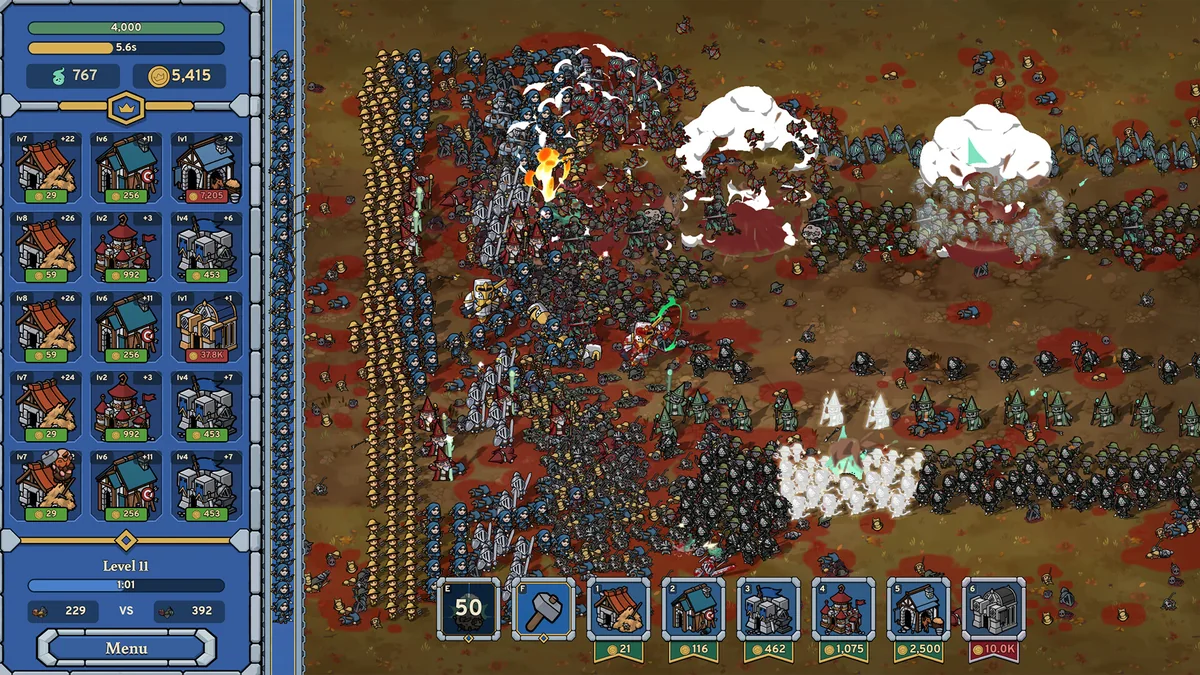
Why Build Order forgot a destroyed building
Check the last battle. If a building was destroyed and the battle ended before it was rebuilt, older versions could drop that building from Build Order. The developer fixed that specific case in hotfix 1.2.3 on 23 November.
- Check your game version. Update if you are playing a build older than 1.2.3.
- Look at the affected slot the next time you use that layout. The patch notes do not say whether an entry lost before the update is restored. If the slot is still empty, place the intended building there manually.
- If the building is already there at its old level, check its next upgrade price. That tells you whether your workers can afford to upgrade it.
When workers appear
On a first run, the Steam guide The perfect build places Construction Workers at the Knight unlock. Workers then upgrade your buildings automatically. Later, the Hired Help Prestige talent lets you start a run with a worker and Build Order.
Build Order records which buildings the workers should rebuild. Worker speed controls how quickly they work through the queue. The price talents control which upgrades they can buy.
The author of the 1.1.1 achievement guide had better results placing the opening by hand. See the Level 30 guide for the layout.
How to check the next upgrade price
Workers stop upgrading when the next level costs more than their allowed price. Three talents raise that limit, and 1.2.0 changed them from small increments to large ones.
| Talent | Increase per rank | Full-rank limit |
|---|---|---|
| Ready to Work | +100 Gold | Part of the total |
| More Work? | +5,000 Gold | Part of the total |
| Work, Work | +100,000 Gold | Part of the total |
| All three at full rank | — | 720,450 Gold (was 37,250 before 1.2.0) |
Swipe the table horizontally to see every column.
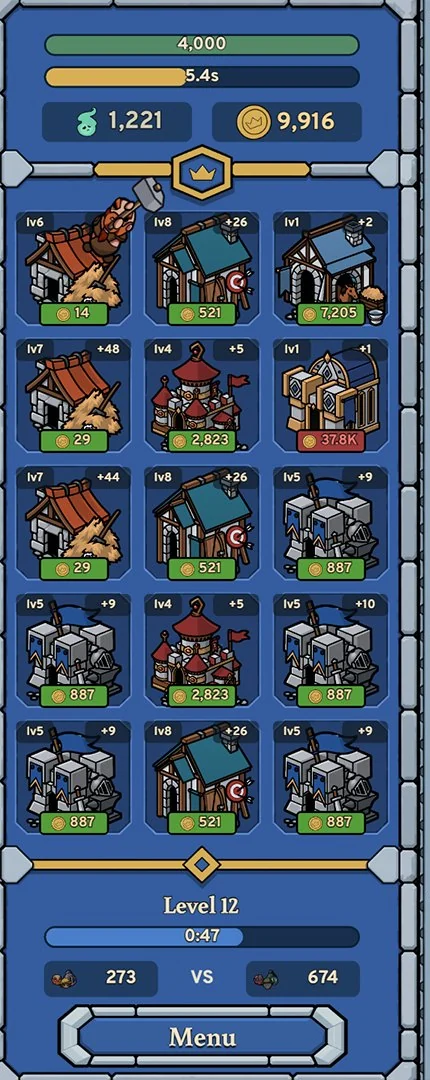
Once a building’s next upgrade passes the limit, the workers leave it alone. You can still upgrade it manually, and Inspiration can push a free upgrade past the cap. That interaction is the Above Your Pay Grade achievement: have Inspiration upgrade a building beyond the workers’ price limit.
Upgrade All only follows manual upgrades
Upgrade All is a Prestige talent: upgrading one building raises every other building of its type to the new level. Since 1.2.2 its description says it works on buildings you upgrade manually, which settles a launch-week argument about whether workers trigger it.
In the Steam discussion about Upgrade All, players report that a newly placed building can inherit the highest level already present for its type. Check the level of the new building before spending Gold on it.
- Manual upgrade of one building of a type raises the rest of that type.
- Automatic worker upgrades do not trigger Upgrade All.
- Upgrade All still matters after workers hit the price cap, because it is the manual path that scales the whole type.
Worker speed
Since 1.2.0, Construction Workers start at 150% speed. Crunch Time now has five ranks instead of six, and the top speed remains 400%. The removed rank’s 540 Souls were refunded. Speed affects how quickly the workers work through the queue; it does not raise the price limit.
Troubleshooting skipped builds and upgrades
| What you see | What to check |
|---|---|
| Empty slot after a battle | Was that building still destroyed when the battle ended? Follow the Build Order check if it was. |
| Building present, level unchanged | Open its upgrade. If the next price exceeds your current worker limit, upgrade manually or raise the limit. |
| Only one building of its type leveled up | Check who bought the upgrade. Upgrade All follows manual upgrades. Hotfix 1.2.2 clarified the talent description. |
| Workers keep working after battle | Update if your version predates the 1.2.0 fix for this behaviour. |
| Units jitter while paused | The developer fixed this separate issue in 1.1.1. |
Swipe the table horizontally to see every column.
If the workers are working but production still lags, the problem is probably the layout rather than the automation. See Buildings and castle layout.
Questions players ask
When do Construction Workers unlock?
On a first run, buying Knights unlocks Construction Workers. On a Prestige run, Hired Help can give you a worker and Build Order from the start.
Why do my workers stop upgrading?
The next upgrade costs more than their price limit. At full price-limit talents in 1.2.0 and later that limit is 720,450 Gold. Upgrade manually or use Inspiration past it.
Does Upgrade All work with workers?
No. Since 1.2.2 the description states it works on buildings you upgrade manually. Worker upgrades do not trigger it.
Should I let workers build the Level 30 layout?
The 1.1.1 achievement guide recommends placing it manually. Its author and several commenters report that worker-built openings failed the fight.
Sources and scope
We rechecked the Build Order fix and the worker upgrade price limits on . The other sections use public sources checked on 25 November 2026.
- Update 1.2.0 notesPrice limits, worker speed, Hired Help and Upgrade All
- Hotfix 1.2.2 notesUpgrade All description
- Hotfix 1.2.3 notesWhich destroyed buildings Build Order used to forget at the end of a battle
- Steam achievement directoryAbove Your Pay Grade
- Steam discussion: Upgrade AllManual-upgrade behaviour and rebuilt building level
- Steam guide: The perfect buildWorkers unlocked with Knights; Inspiration pushes levels